Know what goes in.
Keep a food diary and track calories and macros. Scan barcodes and edit nutrition details as you log.
FREE ANDROID BETA · LOOKING FOR TESTERS
Track your training, nutrition, mood and sleep. Meet SteadyRep, a fitness and wellness tracker built around everyday progress.
Already being tested by 3 people.
Help us take the next step.
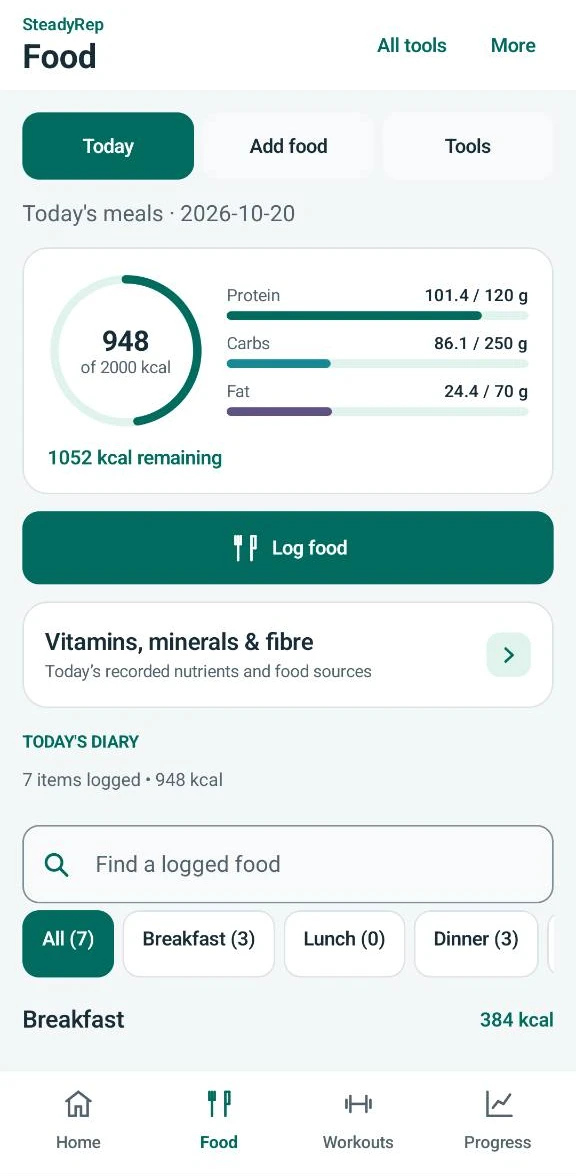
Real SteadyRep app screen · example food diary
KEEP THE USEFUL THINGS TOGETHER
You don't need a perfect routine to start keeping track. SteadyRep brings food, training, mood and sleep into the same daily rhythm.
Keep a food diary and track calories and macros. Scan barcodes and edit nutrition details as you log.
Log your exercises, sets and reps. Keep a record of completed workouts so you can look back at your training.
Use the mood tracker to record how you're feeling alongside your food and training.
Keep a sleep record as part of your daily check-in. Give rest a place in your fitness routine.
Keep a copy of your records with local JSON backup and restore.
INSIDE STEADYREP
A closer look at food logging, training, body progress and mood check-ins in the Android app. These screenshots show example records from a day of use. Select any screen to see it full size.
See daily calories and macros alongside your logged meals.
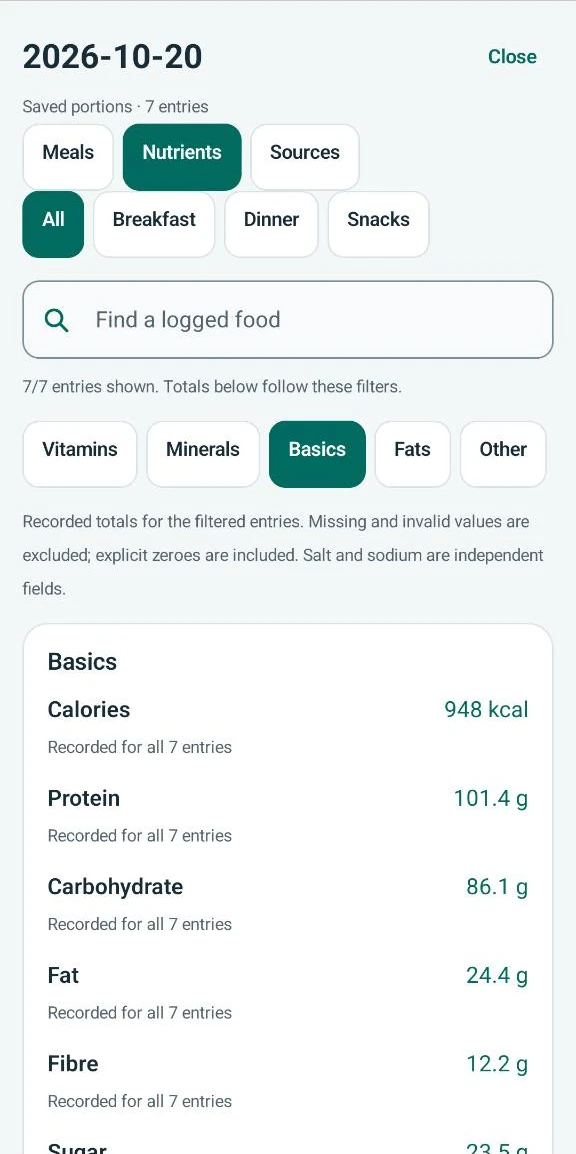
Explore the recorded nutrients in your saved food portions.
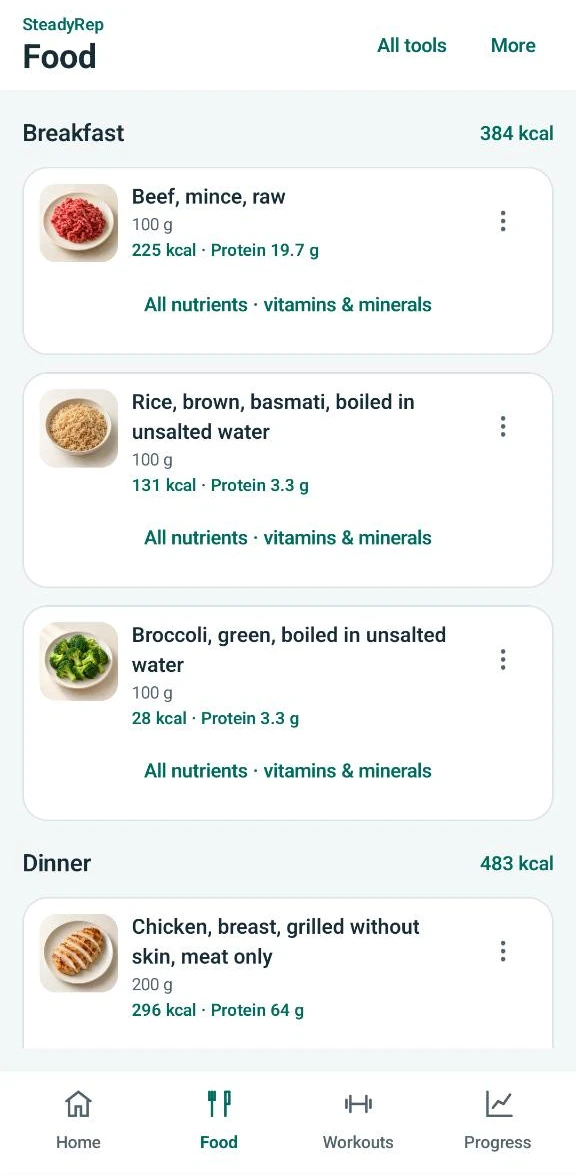
Review portions, calories and protein for each logged food.
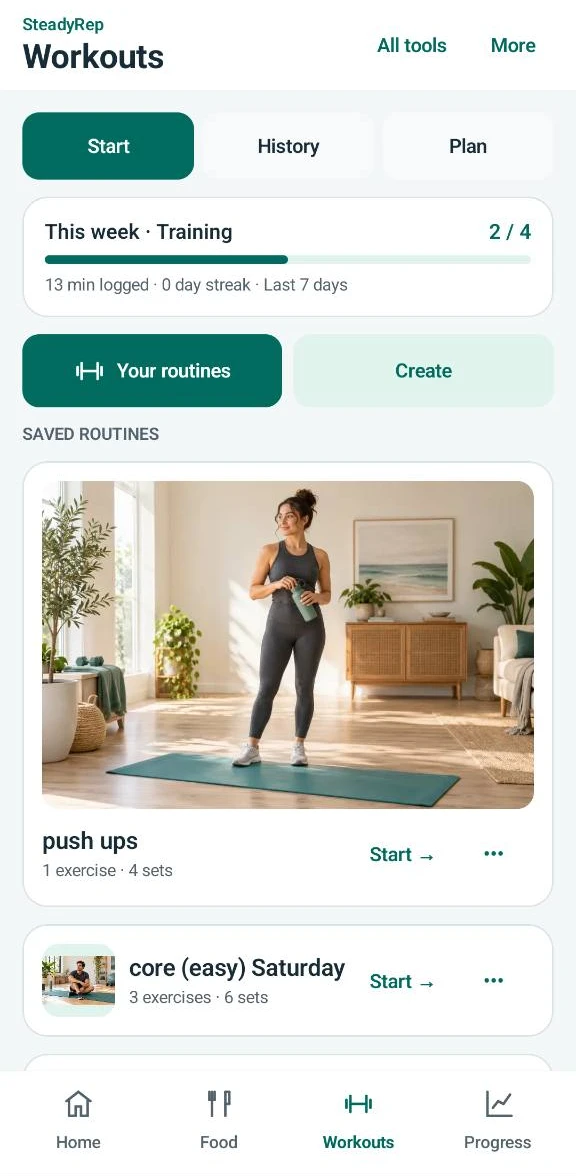
Keep saved routines ready for your next session.
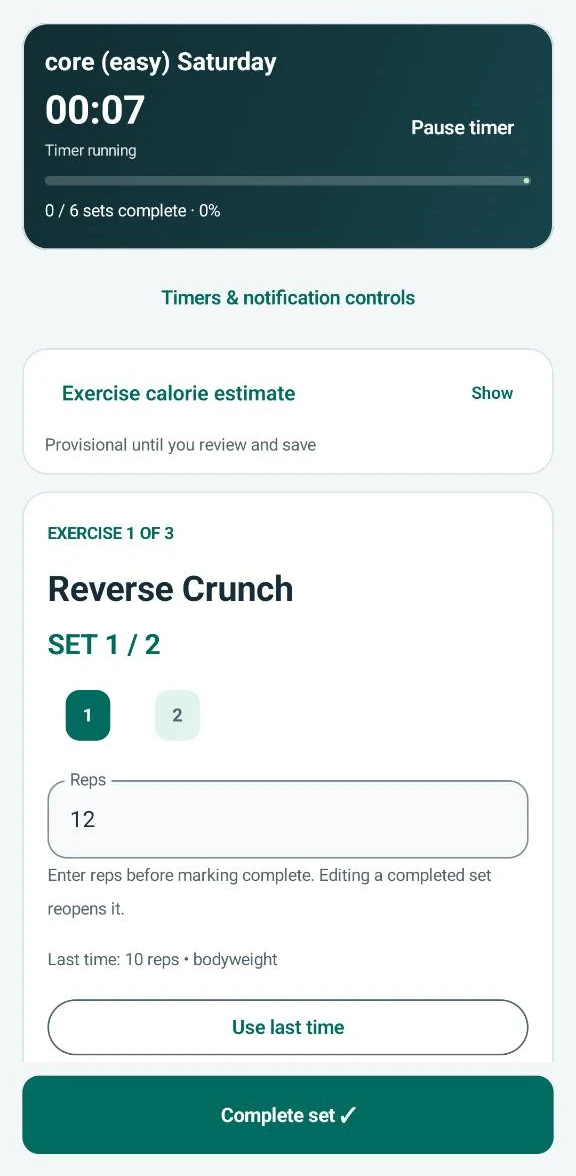
Record reps and use your previous session as a reference.
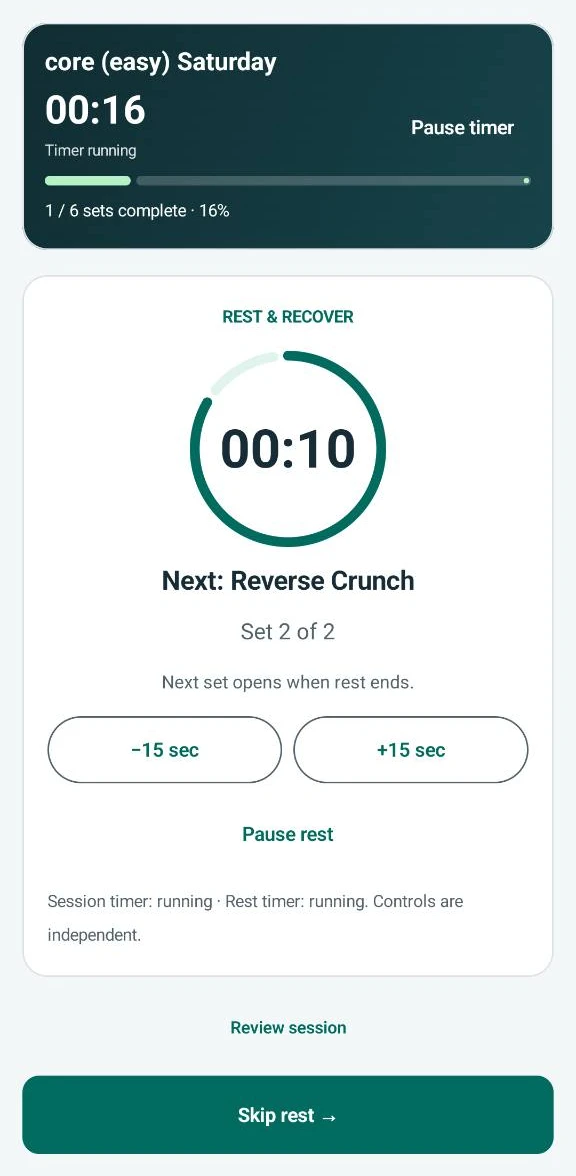
Follow your rest timer and see which set comes next.
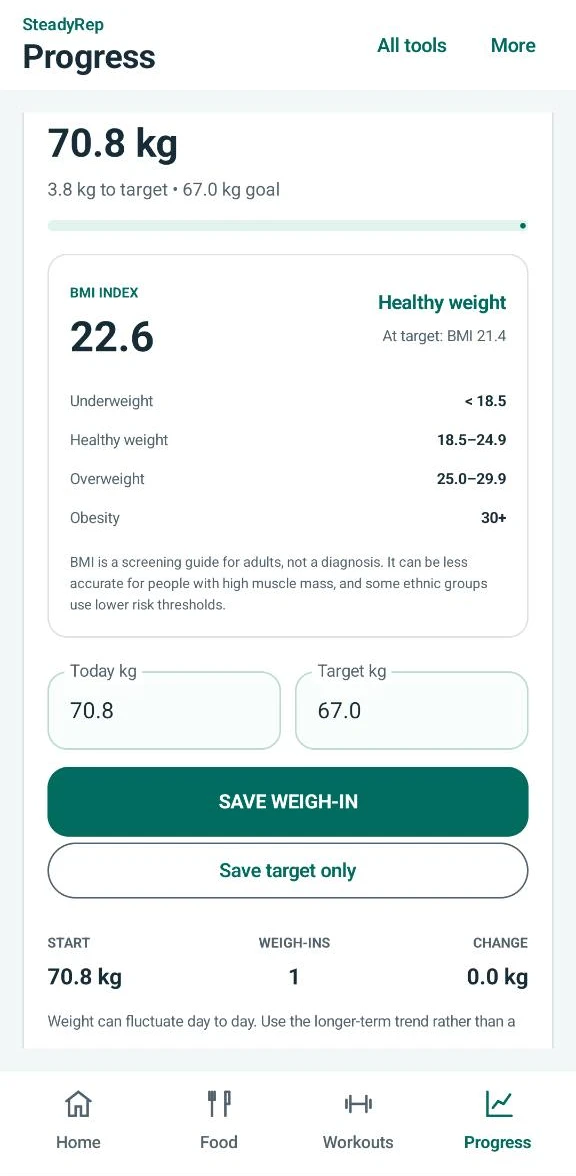
Record weigh-ins and keep your weight target in view.
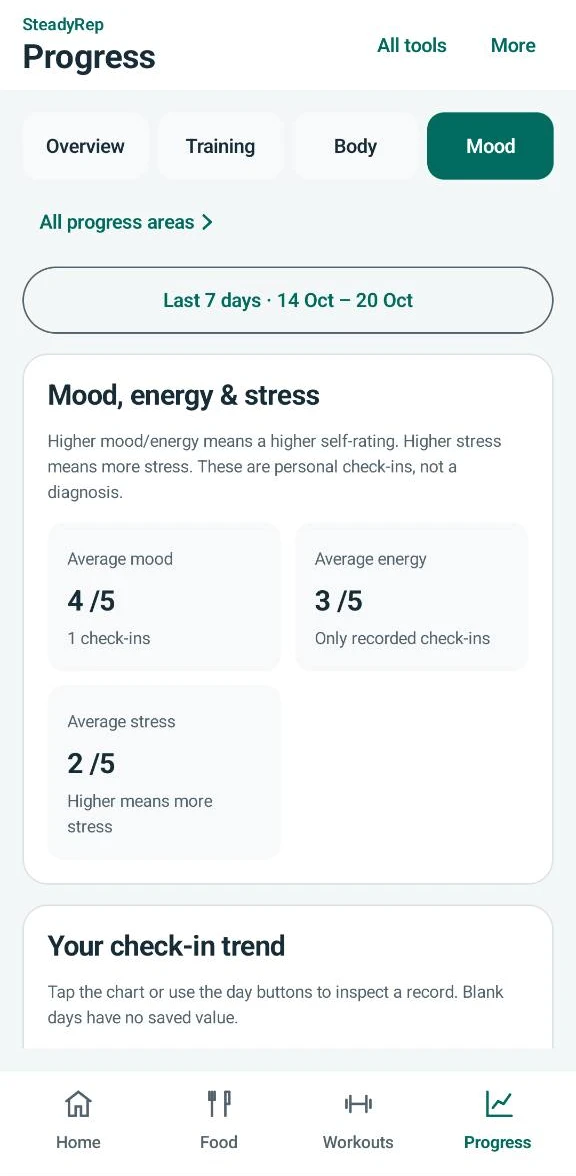
Review your recorded mood, energy and stress check-ins.
A SMALL APP. A REAL PART TO PLAY.
SteadyRep is in beta. The Android beta is free to join. We're looking for people to try it in real life and tell us what's useful, confusing or missing.
I'd like to helpMessage on WhatsApp or email to request access. Include your Android phone model if you know it.
Luke will reply with access and installation instructions. Wait for those instructions before installing; messaging does not automatically enrol you.
Once installed, try logging a meal, completing a workout and recording a check-in. Use the support guide below to report anything that gets in the way.
FROM THE PEOPLE USING IT
Already tried SteadyRep? Tell others what your experience has been like. Thoughtful criticism is welcome alongside the good bits.
NO PUBLISHED REVIEWS YET
We're inviting our first testers to share their thoughts. Approved reviews will appear here, with the reviewer's chosen display name and rating.
No reviews or ratings have been added on anyone's behalf.
A DIRECT LINE TO THE DEVELOPER
Questions about joining, installing or using SteadyRep? Contact Luke by WhatsApp or email. Both options open a draft for you to review and send.
A few details make an issue easier to understand:
Only attach a screenshot if it helps. Hide names, food diaries, health details and other personal information first.
The app is in beta, so features may change as testing continues.
Read app privacy information ↓BEFORE YOU JOIN
Yes. This Android beta is free to join. Request access by WhatsApp or email; no payment is taken on this website.
Android users who want to track food, workouts, mood and sleep and share constructive feedback. You don't need to be a fitness expert.
Not yet. Three people have tested the app so far and reported that it is functional. We're expanding testing to learn how it works across more phones and everyday routines.
This tester round is for Android. There is no iPhone beta signup on this page.
Request beta access first. Luke will reply with the installation steps for the available tester build. There is no public download or automatic enrolment on this page. If you already use SteadyRep, create a backup before updating and follow the instructions you receive.
Tell us what you were trying to do, what happened and your phone model. Screenshots help, but remove any personal or health information you don't want to share.
Choose WhatsApp or email, review the prepared message, then send it yourself. Luke receives the message and your contact details through that service. He will reply with the next steps. This page does not automatically enrol you or add you to a marketing list.
PRIVACY & DATA
The privacy information included in the SteadyRep Android beta source, updated 16 October 2026. Check the privacy information in your installed version for any later changes.
Your food diary, workouts, routines, weight history, goals, profile name, habits and saved products are stored in SteadyRep's private app storage. This version has no SteadyRep account or automatic SteadyRep cloud sync.
The progress gallery imports only photos you choose using Android's picker. It stores resized JPEG copies, dates, views and notes locally, without copying source EXIF metadata. Your originals stay unchanged. Gallery copies are excluded from Android automatic backup and the standard SteadyRep JSON backup. Export the gallery separately before reinstalling or clearing app data. The export includes personal images and notes; gallery ZIP restore previews selected copies before adding them without replacing existing entries.
Scanning uses your camera to read a product barcode. A lookup sends the barcode to Open Food Facts over the internet. Camera images and your diary, weight and goals are not sent by this lookup. Open Food Facts receives the request and connection information such as your IP address. Saved products can be reused offline; a new product lookup needs internet access.
With your permission, SteadyRep reads steps, active calories burned and exercise sessions to show activity and workout information. Android manages these permissions. Health Connect data may originate from other apps or devices. Removing SteadyRep's local data does not remove those source records. If access remains granted, activity may appear again when you reconnect or sync.
Camera access is used for barcode scanning. Physical activity access is used for phone step tracking. You can change these permissions in Android app settings. Denying access limits the related feature; you can still log food and workouts manually.
Save backup creates an unencrypted JSON file at the location you choose. It contains personal health information, so keep it private. A cloud folder chosen in the file picker uploads through that folder's provider. Restore replaces your local SteadyRep records after confirmation. Deleting local app data does not delete exported backup files.
Android backup is enabled for this app. Depending on your phone and backup settings, the operating system may back up or transfer app data. This is separate from SteadyRep's manual backup. Review your phone's system backup settings if you want to manage it.
This version has no advertising or analytics SDK added by SteadyRep. If adverts or other connected services are added in a future version, this information will need to be updated to explain them.
Delete local data clears SteadyRep's saved logs, goals, profile, favourites, routines, saved products, gallery copies and preferences on this installation, then returns to the welcome screen. It does not revoke Android permissions, erase Health Connect records, or delete your exported files or system backups. Save a data backup and separately export your gallery first if you want to keep copies.
Questions about app data or privacy? Email steadyrep.co.uk@gmail.com.
HELP BUILD WHAT COMES NEXT
Free to join. Built for Android.
Message Luke to request access and installation instructions.
Choose WhatsApp or email, review the message and send it. Luke will reply with the next steps. No payment is needed.
WhatsApp: +44 7946 537502
WhatsApp and email handle your messages and contact details through their own services. Read app privacy information.